
Your content is good. Your backlinks are fine. And yet rankings have flattened, traffic is leaking month over month, and now half your competitors are showing up inside Google's AI answers while you're nowhere to be seen.
Nine times out of ten, the problem isn't your writing. It's what's happening underneath it, in the code, the crawl paths, the rendering, and the signals search engines and AI models use to decide whether your pages even deserve a seat at the table.
This is the part most marketers can't see and most agencies only "flag" without fixing. We're a development team first, so we live in this layer every day. What follows is the actual technical SEO checklist for 2026 we run on client sites, in the order we run it, with the reasoning behind each step. No fluff, no recycled 2021 advice, just what moves the needle now that search has two audiences: Google's crawler and the AI systems quoting you to users.
What Is Technical SEO in 2026, and Why Has the Checklist Changed?

Technical SEO is everything that helps search engines and AI systems crawl, render, understand, and trust your website, without ever touching the actual words on the page. Think of it as the plumbing. On-page SEO and content are the rooms people live in; technical SEO is whether the water reaches them.
For years that meant a fairly stable list: fix broken links, submit a sitemap, sort out your redirects, keep the site fast on mobile. Those still matter. But the ground has shifted, and a checklist that hasn't been rewritten since 2023 is now actively costing you visibility.
What Counts as Technical SEO Now (and What Quietly Stopped Mattering)
A few old priorities have faded. Keyword-stuffed meta keywords tags were dead long ago. Obsessing over exact-match URL slugs delivers almost nothing today. And the old First Input Delay metric? Retired by Google in March 2024 and replaced entirely.
What matters more than ever:
- Renderability, not just crawlability, can a bot actually see your content after your JavaScript runs?
- Entity clarity does your site clearly tell search engines who you are and what you're an authority on?
- AI crawler access can (and should) systems like GPTBot, ClaudeBot and PerplexityBot reach your pages?
- Interaction responsiveness measured now by Interaction to Next Paint, not page-load speed alone.
The shift is simple to summarise: being indexable used to be the finish line. Now it's the starting line.
How AI Overviews and Generative Search Rewrote the Rules
In 2024–2025, Google rolled out AI Overviews to billions of queries, and tools like ChatGPT, Perplexity and Claude became genuine discovery channels. That changed the job description for technical SEO.
Your pages no longer just need to rank. They need to be retrievable and quotable by language models that summarise answers without always sending a click. A page can rank in the classic blue links and still be invisible inside an AI Overview if it's hard to parse, poorly structured, or missing the signals these systems trust.
Why Crawlable ≠ Citable: Getting Found by Google AI and LLMs
Here's the trap a lot of sites fall into. Googlebot can crawl the page, so they assume they're covered. But AI systems break content into passages, weigh them against an entity graph, and decide which snippets to surface. If your content is buried in heavy client-side JavaScript, wrapped in vague headings, or lacks clear structured data, you're crawlable but not citable.
Citability comes from clean semantic HTML, descriptive headings that mirror real questions, tight passage-level structure, and unambiguous schema. In other words, the same hygiene that helps classic SEO, taken a level deeper.
GEO and AEO Explained for Teams Who Already "Do SEO"
Two acronyms you'll keep hearing:
- GEO (Generative Engine Optimisation): optimising so your brand and content get pulled into AI-generated answers across Google AI, ChatGPT, Perplexity and similar tools.
- AEO (Answer Engine Optimisation): structuring content so it directly answers specific questions in a liftable, snippet-ready format.
They overlap heavily, and both lean on the technical foundation in this checklist. You can't optimise for AI answers if the machine can't render or parse your page in the first place.
How Often Should You Run a Technical SEO Audit in 2026?
A practical rhythm for most sites:
- Small site (under 500 pages): a full technical SEO audit quarterly, with light monthly checks in Search Console.
- Ecommerce or large site: monthly crawls plus continuous monitoring, because inventory, faceted pages and template changes break things constantly.
- After any migration, redesign or framework change: immediately, no exceptions.
If your last proper seo technical audit was over six months ago, treat that as a red flag in itself.
The Complete Technical SEO Checklist for 2026 (In the Order We Actually Run It)
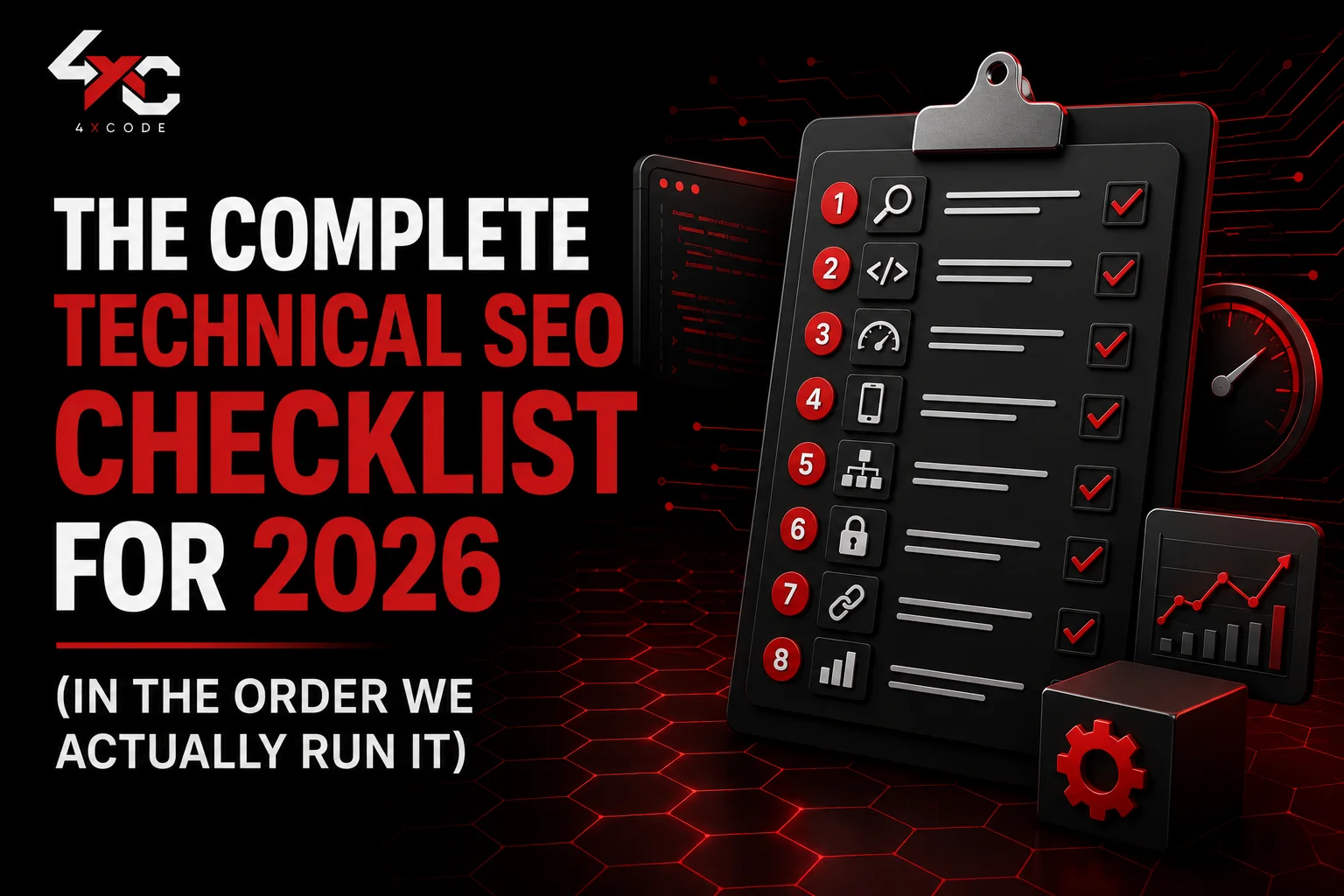
Most checklists dump 40 items on you in random order. That's not how a real audit works. You fix foundations first, because there's no point optimising INP on a page Google can't even index. Here's the sequence we use.
Step 1, Crawlability and Crawl Budget: Can Bots Reach Your Pages?
Before anything else, confirm bots can find and access your important pages. On large sites, crawl budget the number of pages a search engine will crawl in a given window becomes a real constraint. Waste it on junk URLs and your money pages get crawled late or not at all.
Start here:
- Pull a full crawl with a site crawler like Screaming Frog and compare it against your sitemap and Search Console coverage.
- Identify pages getting crawled that shouldn't be (filtered URLs, session parameters, thin tag pages).
- Check Google Search Console Crawl Stats for spikes in errors or response time.
How to Optimise Robots.txt (Including AI Crawler Directives for GPTBot, ClaudeBot and PerplexityBot)
Your robots.txt is the first file most bots read. Keep it clean: block genuinely useless paths (internal search results, cart URLs, admin areas), and never accidentally block CSS or JS, that breaks rendering.
The newer decision is whether to allow AI crawlers. You can now control these explicitly:
User-agent: GPTBot
Allow: /
User-agent: ClaudeBot
Allow: /
User-agent: PerplexityBot
Allow: /
Block them, and you protect content but vanish from those AI answer engines. Allow them, and you gain visibility in AI-driven discovery at the cost of letting models train on or cite your content. For most brands chasing growth, allowing the major AI crawlers is the right call in 2026, but it should be a deliberate decision, not a default you never reviewed.
XML Sitemap Best Practices and IndexNow Setup
Your XML sitemap should list only canonical, indexable, 200-status URLs. No redirects, no noindexed pages, no 404s. Split large sitemaps into logical chunks (products, categories, blog) so you can diagnose indexing issues per section.
Then add IndexNow, a protocol supported by Bing, Yandex and others that lets you push new and updated URLs the moment they change, instead of waiting to be crawled. It's a quick win for ecommerce and news-style sites where freshness matters. Google doesn't use IndexNow directly yet, but the Bing and AI-search upside makes it worth the small setup.
How to Read Log Files to Find Wasted Crawl Budget
Server log file analysis is the most underused technique in technical SEO, and it's where the real story lives. Logs show you exactly which pages bots actually hit, how often, and what response they got, no guessing.
We routinely find sites burning 60–70% of their crawl budget on parameter URLs and dead pages. Fix that, and important pages get discovered and refreshed far faster. If you've never looked at your logs, you're optimising blind.
Step 2, Indexing: Are the Right Pages in Google's Index?
Crawling gets a bot to the page. Indexing is whether Google keeps it. The goal isn't to index everything, it's to index the right things and keep the junk out.
How to Fix "Discovered – Currently Not Indexed" and Soft 404s
"Discovered, currently not indexed" usually means Google found the URL but didn't think it was worth crawling or indexing yet. It's often a quality and crawl-budget signal. Fixes that work:
- Strengthen internal links to the page so it looks more important.
- Improve the content depth and uniqueness, thin pages get deprioritised.
- Make sure the page isn't an accidental near-duplicate of others.
Soft 404s happen when a page returns a 200 status but has empty or "not found" content, common with out-of-stock products and empty category filters. Either restore real content, return a proper status, or redirect appropriately.
Canonical Tags, Noindex and Duplicate Content Done Properly
Canonical URLs tell search engines which version of similar pages is the master. Get them wrong and you split ranking signals or hide your best pages. A few rules we hold to:
- Every page should self-reference a canonical unless it genuinely duplicates another.
- Canonicals must point to indexable, 200-status URLs, not redirects.
- Use noindex for pages with value to users but none to search (thank-you pages, internal filters).
Duplicate content rarely earns a "penalty", it just dilutes you. Consolidate it deliberately.
Step 3, Rendering and JavaScript SEO (React and Next.js Sites, Read This)
This is where our developer background earns its keep, and where most generic audits go quiet. If your site is built in React, Vue, or another JavaScript framework, JavaScript SEO isn't optional, it's the whole ballgame.
The risk: your content exists in the browser after JS executes, but a bot taking a quick first pass may see an empty shell. Google renders JavaScript, but on a delay and a budget. AI crawlers are often far less patient and may not render at all.
Is Server-Side Rendering Better Than Client-Side for SEO?
For most content-driven and ecommerce sites, yes server-side rendering (or static generation) is safer than pure client-side rendering. With SSR, the HTML arrives fully formed, so any crawler, Googlebot, Bingbot, or an LLM, sees real content immediately. With client-side rendering, you're betting the bot will execute your JavaScript correctly and completely. That's a bet you don't need to make.
When ISR, SSR or Static Generation Actually Wins
For Next.js and similar frameworks, match the rendering method to the page type:
Page type | Best approach | Why |
| Blog posts, guides, landing pages | Static Generation (SSG) | Pre-built, lightning fast, fully crawlable |
| Product pages with changing stock/price | Incremental Static Regeneration (ISR) | Static speed, refreshed on a schedule |
| Dashboards, logged-in areas | Client-Side Rendering | No SEO value anyway, so CSR is fine |
| Highly personalised public pages | Server-Side Rendering (SSR) | Fresh on every request, still crawlable |
ISR has quietly become the sweet spot for large catalogues: you get static-level performance without rebuilding the entire site every time a price changes.
Step 4, Core Web Vitals: Passing INP, LCP and CLS in 2026
Core Web Vitals are Google's user-experience metrics, and they remain a ranking signal and a UX necessity. The three that count:
- LCP (Largest Contentful Paint): how fast the main content loads. Target under 2.5 seconds.
- INP (Interaction to Next Paint): how responsive the page feels when users interact. Target under 200 milliseconds.
- CLS (Cumulative Layout Shift): how much the layout jumps around. Target under 0.1.
Run a Core Web Vitals check in Search Console (field data) and PageSpeed Insights (lab data) and trust the field data, because that's real users.
How to Improve Interaction to Next Paint (INP), the Metric That Replaced FID
INP replaced First Input Delay in March 2024, and it's stricter. FID only measured the delay before processing started; INP measures the full time from interaction to the next visual update, every click, tap and keypress across the visit.
The usual culprit is heavy JavaScript hogging the main thread. What moves INP:
- Break up long JavaScript tasks so the browser can respond to input.
- Defer or remove non-essential third-party scripts (chat widgets, trackers, A/B tools are common offenders).
- Use web workers for heavy computation.
- Trim unused JS shipped to the browser.
On framework-heavy sites, INP is usually a code problem, not a plugin you can toggle. This is exactly the kind of fix that needs someone who can edit the build, not just the CMS.
Quick Wins for LCP and Layout Stability
For LCP: serve images in modern formats (WebP/AVIF), preload your hero image, enable a CDN, and use Brotli compression and HTTP/3 where possible. For CLS: set explicit width and height on images and embeds, reserve space for ads, and avoid injecting content above what the user is already reading.
Step 5, Site Architecture, Internal Linking and URL Structure
A clean site architecture helps both users and crawlers understand what matters. The principle we follow: important pages should be reachable within three clicks of the homepage.
- Keep your URL structure shallow, readable and logical (/services/technical-seo/ beats /p?id=4821).
- Fix orphan pages pages with no internal links pointing to them are nearly invisible.
- Use internal linking to pass authority from strong pages to ones you want to lift, with descriptive anchor text.
- Add breadcrumbs for clearer hierarchy and tidy structured data.
Strong internal linking is also one of the cheapest ways to push a stuck page over the indexing line.
Step 6, Structured Data and Schema Markup That Earns Rich Results
Schema markup (structured data in JSON-LD) translates your page into a language search engines and AI systems read with zero ambiguity. It powers rich results, feeds the Knowledge Graph, and helps AI tools trust and cite you.
Which Schema Types Matter Most (Organization, Product, Article, FAQ)
You don't need every schema type, you need the right ones:
- Organization schema: defines your brand as an entity, with logo, name and sameAs links to your profiles. Foundational for trust.
- Product schema: price, availability and reviews for ecommerce, essential for Merchant listings and rich snippets.
- Article schema: author, publish date and headline for blog and guide content.
- FAQ schema: marks up genuine question-and-answer content (use it honestly; Google has tightened its display).
How to Prevent Schema Drift Across a Large Site
Schema drift is when your structured data and your visible content fall out of sync, a price in schema that no longer matches the page, an old author, a stale availability status. On big sites it happens silently and erodes trust with both Google and AI engines.
Prevent it by generating schema programmatically from the same data that renders the page, so the two can never disagree, and by validating regularly with the Rich Results Test. One source of truth beats hand-coded markup that nobody updates.
Step 7, International SEO, Hreflang and Mobile-First Checks
If you serve multiple countries or languages, international SEO hinges on getting hreflang right. The most common failure is the missing return tag: page A points to page B, but B doesn't point back. Google then ignores the whole set.
- Every hreflang cluster must reference itself and all alternates, reciprocally.
- Use correct language-region codes (en-gb, not en-uk).
- Confirm you're passing mobile-first indexing, Google indexes the mobile version, so your mobile content and structured data must match desktop, not be a stripped-down version.
Step 8, HTTPS, Security and Accessibility Basics You Can't Skip
The unglamorous finish that quietly underpins trust:
- HTTPS site-wide, with no mixed-content warnings and a valid SSL certificate.
- No insecure resources loading on secure pages.
- Sensible accessibility hygiene, alt text, logical heading order, keyboard navigation, which overlaps heavily with how AI systems parse your content.
Accessibility and machine-readability are increasingly the same project.
Want this whole checklist as a working document? You can grab our technical SEO checklist for 2026 (PDF and template) on the 4xcode resources page or skip ahead and have us run the audit on your site.
The Tools, Mistakes and Maintenance Rhythm Behind a Site That Stays Healthy
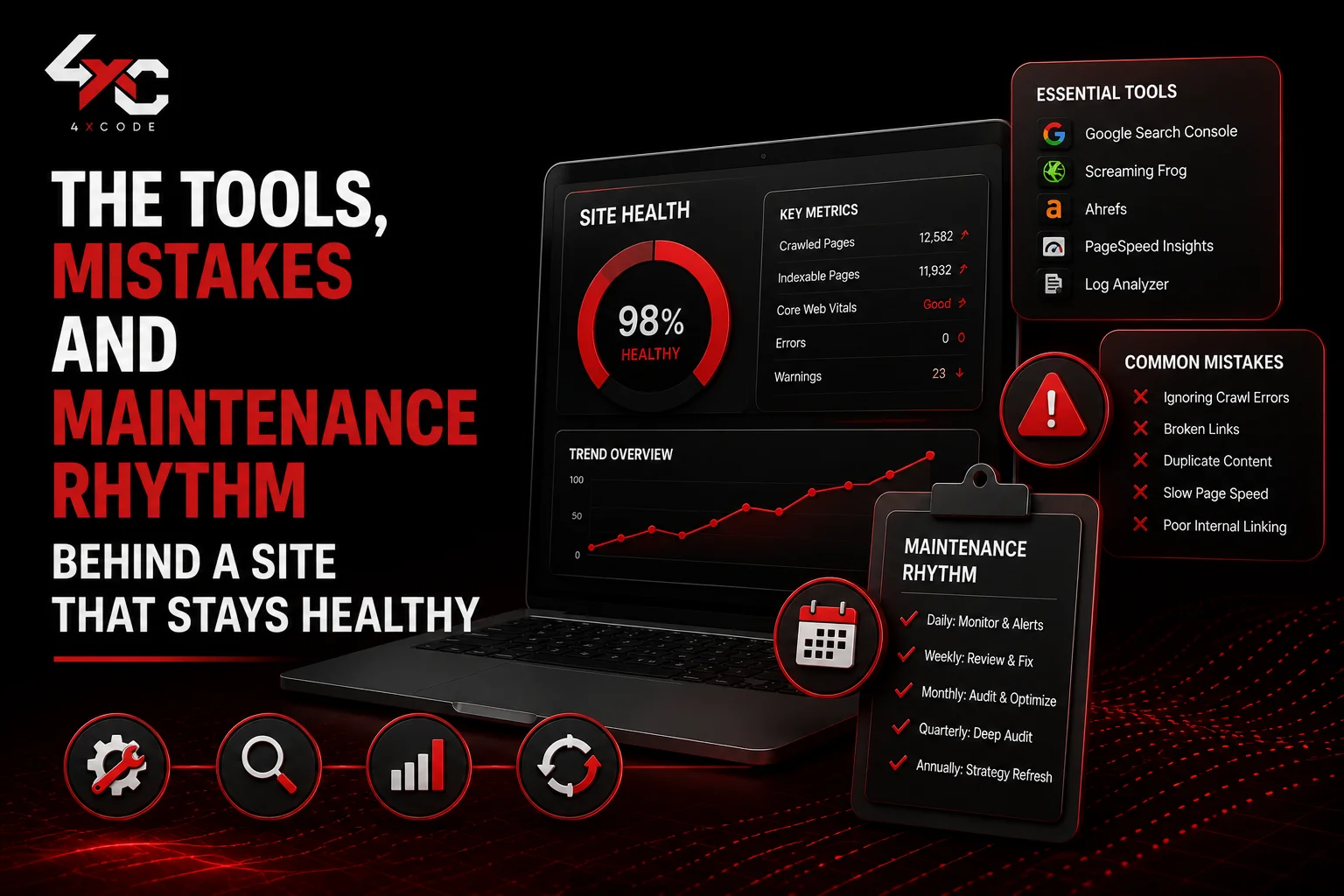
A checklist is a moment in time. Staying healthy is a habit. Here's the toolkit and routine that keeps technical debt from creeping back.
Which Technical SEO Tools Are Worth Your Time in 2026?
You don't need a bloated stack. You need a few tools you actually use.
Free Stack: Google Search Console, PageSpeed Insights, Lighthouse
Google Search Console is non-negotiable index coverage, Core Web Vitals field data, crawl stats and manual actions, straight from Google. Pair it with PageSpeed Insights and Lighthouse for performance diagnostics. For most small sites, this free trio covers 80% of what you need.
Pro Crawlers and Monitoring: Screaming Frog, Ahrefs, Semrush
For deeper work, Screaming Frog is the standard desktop site crawler for full technical website audits. Ahrefs and Semrush add scheduled audits, change monitoring and competitive context. The right pick depends on scale:
Tool | Best for | Strength |
| Search Console | Every site | Ground-truth data from Google |
| Screaming Frog | One-off deep crawls | Granular control, log analysis |
| Ahrefs / Semrush | Ongoing monitoring | Scheduled audits, alerts, scale |
Common Technical SEO Mistakes We Still See on Audits
After years of audits, the same issues resurface again and again:
- Blocking CSS or JS in robots.txt, which breaks rendering and tanks mobile usability scores.
- Sitemaps full of redirects and 404s, confusing crawlers about what's canonical.
- Letting faceted navigation generate thousands of crawlable URLs that drain crawl budget.
- Shipping client-side-rendered content with no fallback for bots.
- Schema that contradicts the visible page, quietly bleeding trust.
- Out-of-stock products returning soft 404s instead of being handled deliberately.
None of these show up in a content audit. All of them suppress rankings.
Your Monthly and Quarterly Technical SEO Maintenance Checklist
A lightweight rhythm that prevents nasty surprises:
Monthly: review Search Console coverage and Core Web Vitals, check for new crawl errors, confirm key pages are still indexed, scan for broken links.
Quarterly: run a full crawl, audit internal linking and orphan pages, validate schema across templates, review log files for crawl waste, re-check hreflang integrity.
Twenty minutes a month beats a five-figure recovery project after rankings quietly collapse.
Work With 4xcode, Technical SEO and Development for UK Brands That Want to Win Both Google and AI Search

Here's the honest truth about most technical SEO reports: they hand you a 60-page list of problems and leave the fixing to "your developer." If you don't have one, or yours is already buried, that report becomes shelf-ware.
Why a Code-First Agency Fixes Technical SEO Problems Others Only Flag
We're 4xcode, a UK-based development team, and that's the difference. We don't just find the JavaScript rendering issue, the INP bottleneck or the schema drift, we go into the codebase and fix it. SSR migrations, Next.js rendering strategy, Core Web Vitals optimisation at the build level, programmatic schema: this is our home turf, not an outsourced afterthought.
When the people auditing your site can also rebuild the parts that are broken, recommendations turn into results instead of a to-do list.
Our Technical SEO Audit and Optimisation Services
We work with ecommerce, SaaS and content brands across the UK on:
- Full technical SEO audits with a prioritised, plain-English action plan.
- Hands-on Core Web Vitals optimisation and rendering fixes.
- JavaScript SEO and framework migrations (React, Next.js).
- Structured data implementation and AI-search readiness (GEO/AEO).
- Ongoing monitoring so problems get caught early, not quarterly.
Book a Technical SEO Audit With 4xcode
If your traffic has stalled, your site is hard to crawl, or you're missing from AI answers your competitors are showing up in, let's look under the hood together. Visit www.4xcode.com to book a technical SEO audit, and we'll show you exactly what's holding your rankings back and fix it.
Frequently Asked Questions: Technical SEO Checklist for 2026
What is the most important technical SEO change for 2026?
The biggest shift is optimising for AI-driven search alongside traditional rankings. Your pages now need to be both crawlable by Google and citable by AI systems like AI Overviews, ChatGPT and Perplexity, which means cleaner rendering, sharper structured data, and clear AI-crawler directives in your robots.txt.
How do I check my website's technical SEO score?
Start with Google Search Console for index coverage and Core Web Vitals, run PageSpeed Insights for performance, then do a full crawl with Screaming Frog, Ahrefs or Semrush to catch broken links, redirect chains, canonical issues and orphan pages. Together these give you a reliable picture of your technical health.
What is crawl budget, and how do I improve it?
Crawl budget is the number of pages a search engine will crawl on your site in a given period. Improve it by blocking low-value URLs in robots.txt, removing parameter and duplicate pages, keeping your sitemap clean, fixing 404s and redirect chains, and strengthening internal links so bots prioritise your important pages.
Should I block AI crawlers like GPTBot in robots.txt?
For most brands chasing growth, no allowing GPTBot, ClaudeBot and PerplexityBot lets your content appear in AI-generated answers, which is becoming a real discovery channel. Block them only if you have a specific reason to keep content out of AI systems. Either way, make it a deliberate choice you've reviewed.
How does INP affect Google rankings?
Interaction to Next Paint measures how quickly your page responds to user interactions. It became a Core Web Vital in March 2024, replacing First Input Delay, and a poor INP (over 200ms) can drag down rankings and frustrate users. Most INP problems come from heavy JavaScript, so the fixes are usually code-level.
Do I need IndexNow for Google SEO?
Google doesn't use IndexNow directly yet, but Bing and other engines do, and it pushes your updates instantly instead of waiting for a crawl. For ecommerce and frequently updated sites, it's a low-effort win worth implementing, especially as AI search increasingly leans on Bing's index.
How should I handle out-of-stock product pages for SEO?
Don't let them return soft 404s or get deleted outright. If the product is returning, keep the page live with stock status in schema, suggest alternatives, and retain its links. If it's gone for good, redirect to the closest relevant category or product so you preserve the page's accumulated authority.
Is technical SEO different for ecommerce, SaaS and WordPress sites?
The fundamentals are the same, but the pressure points differ. Ecommerce battles faceted navigation, crawl budget and product schema. SaaS sites often fight JavaScript rendering and thin programmatic pages. WordPress sites usually wrestle with plugin bloat and Core Web Vitals. The checklist holds but where you spend your time depends on your stack.