
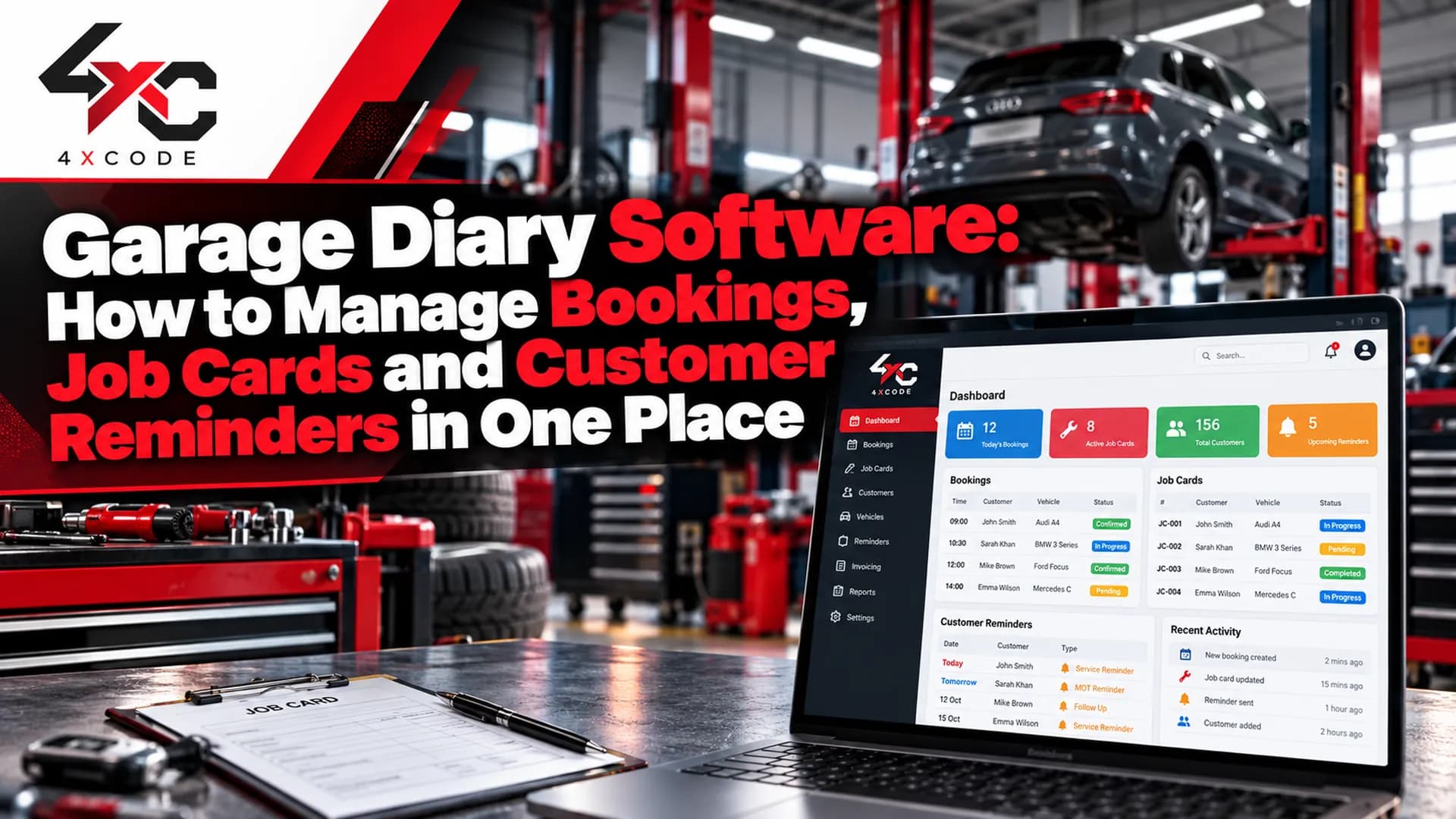
It's Monday, 8:15am. Two customers have turned up without booking, one regular hasn't shown at all, and the MOT bay is blocked by a job that should have finished on Friday. The paper diary says one thing, the whiteboard says another, and the phone keeps ringing.
That is the problem garage diary software solves. It's a digital booking and workshop planning system that keeps appointments, jobs, customers and reminders in one view, so you can see what is booked, who is working on what and which bay is free, without hunting through a diary or a spreadsheet.
This guide explains what a good system should include, how it works day to day, how to choose one that fits your workshop, what it costs and how to get started. It also covers the questions most suppliers skip, such as switching from paper, data security and the features UK garages actually need.
Want to see it working in your own garage? Start a free trial or book a demo using the form on this page.
What Is Garage Diary Software and What Should a Good System Include?

Garage diary software is a booking and scheduling system built for vehicle workshops. It records appointments, assigns work to technicians and bays, stores customer and vehicle history, and sends reminders so fewer customers forget their slot. Many systems also handle job cards and invoicing, which is why you'll see it described as a garage booking system, workshop scheduling software or garage management software.
The label matters less than what the system does for you. A diary that only records appointments is a slightly better whiteboard. A good one connects the booking to the job, the job to the customer and the customer to the next reminder.
Paper diary, spreadsheet or garage diary software?
Paper diary | Spreadsheet | Garage diary software | |
| Double-booking risk | High | Medium | Low, clashes are flagged |
| Customer reminders | Manual calls | Manual | Automatic by SMS or email |
| Customer and vehicle history | Scattered | Possible, but fragile | Held in one record |
| Reporting | None | Manual | Built in |
| Access away from the desk | No | Limited | Usually yes |
| Cost | Lowest | Low | Subscription |
Paper and spreadsheets work, up to a point. The trouble starts when the workshop gets busier. Every extra technician, bay or walk-in multiplies the chance of a clash, and nobody has time to chase no-shows by phone.
When you don't need software yet
We'd rather be straight about this. If you run a one-person garage with a handful of jobs a week, a simple paper or calendar system may be all you need. Software earns its place when you have several jobs a day, more than one person taking bookings, or regular customers who rely on reminders.
What features should garage diary software have for a UK workshop?
Features vary widely between products. Use this list to separate the essentials from the extras, and check each one against what a supplier actually offers rather than what the brochure implies.
Must-have features:
- A clear visual diary: day and week views showing bays, technicians and job lengths, with clash warnings.
- Customer and vehicle history: every visit, job and note attached to the customer and the vehicle.
- Job cards: a digital record of the work requested, work done and parts used, linked to the booking.
- Automatic reminders: SMS or email confirmations and reminders, which cut down no-shows.
- Registration lookup: enter a registration and pull up the vehicle details instead of typing them.
- MOT due dates: so you can remind customers before the test expires and fill quiet days.
Useful extras:
- Online booking: customers book a slot themselves, within the limits you set.
- Technician scheduling: allocate jobs by skill and availability.
- VAT-ready invoicing: invoices produced from the job card with VAT handled correctly.
- Accounting links: so invoices flow into your bookkeeping. Check this against what the supplier actually supports, including Making Tax Digital readiness.
- Reporting: jobs completed, bay utilisation and repeat customers.
- Mobile access: a phone or tablet view for the workshop floor.
A scenario from a typical independent garage: a workshop with two technicians and four bays takes a long job, such as an engine replacement that needs several days of bay time, alongside a steady flow of services and MOTs. On paper, someone has to remember that the bay is blocked and quietly avoid booking into it. In a proper diary, the long job holds the bay and technician for its full duration, and short jobs are scheduled around it. Nobody has to keep it in their head.
Want to see how a diary handles a mixed day? See the diary in action with a demo.
How Does Garage Diary Software Work Day to Day, and Will It Fit Your Garage?
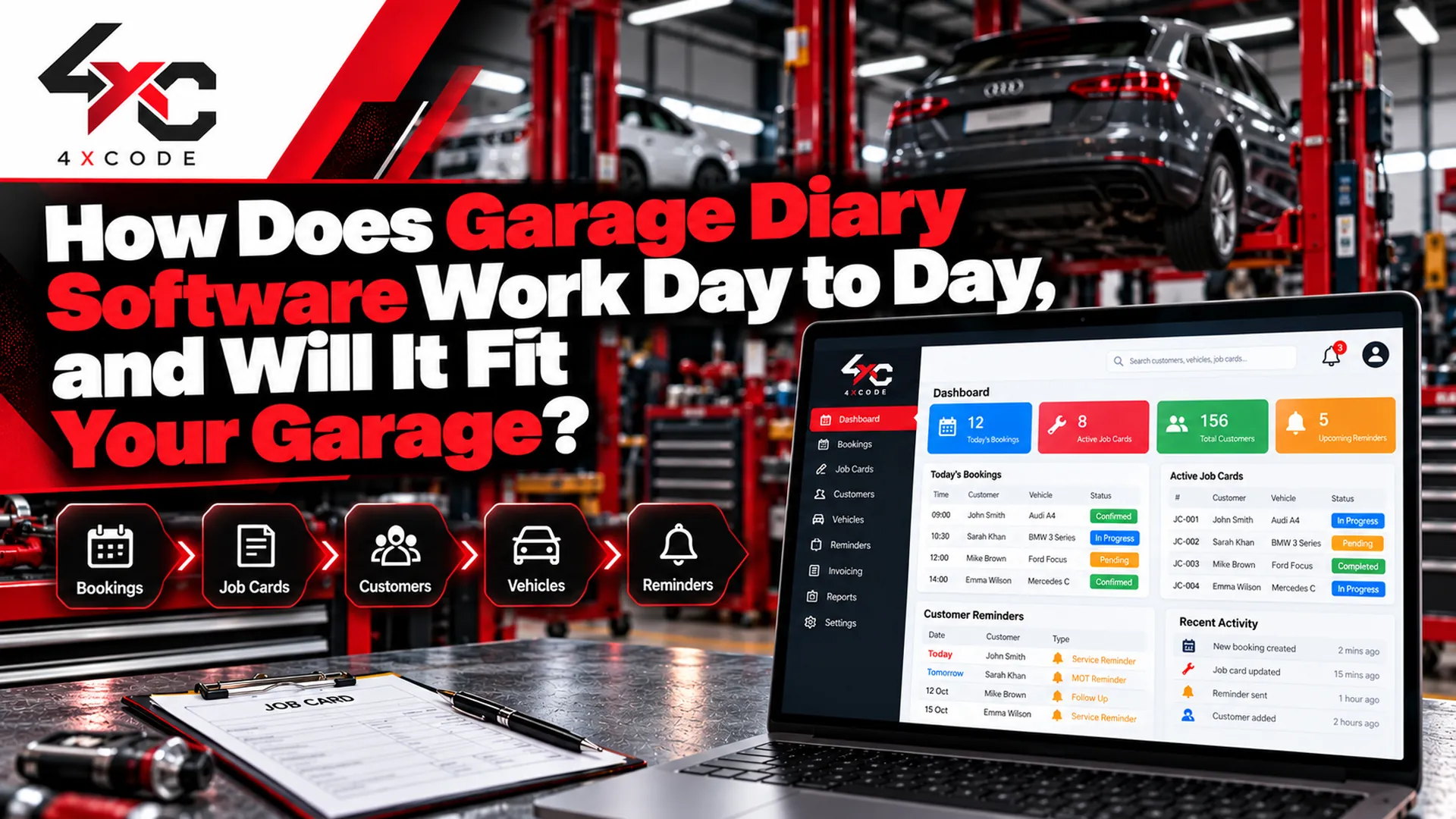
In daily use, the software follows the life of a job from the first phone call to the follow-up reminder. Once your customers, vehicles and bays are set up, most of the work is automatic, and staff mainly confirm and update rather than re-enter.
A typical job from booking to follow-up
- Booking: a customer calls, books online or walks in. You pick the service, and the diary shows free slots for the right bay and technician.
- Vehicle check-in: enter the registration, confirm the vehicle details and note the customer's concerns.
- Job card: the booking becomes a job card listing the work requested, with space for findings, parts and time.
- Technician allocation: the job is assigned, and the technician sees it on their list.
- Customer update: if the job changes, such as extra work found, you record the approval and update the customer.
- Invoice: the finished job card produces the invoice, ready to send or take payment against.
- Follow-up reminder: the system schedules the next service or MOT reminder automatically.
What a busy Monday looks like, with and without a diary
Without a diary system: the day starts with a whiteboard and a paper diary that don't agree. Two walk-ins take slots that were quietly reserved for a longer job. A no-show leaves a bay empty for an hour. A job overruns, and nobody warns the 2pm customer. Evenings go on chasing the day's paperwork.
With a diary system: reminders went out last week, so the no-show rate is lower. The walk-ins see real availability and are booked into free gaps. The overrunning job is extended in the diary, which flags the 2pm clash straight away so you can call that customer early. The invoices are produced from the job cards before you lock up.
The software doesn't remove busy days. It removes the avoidable chaos inside them.
What tools and integrations should you look for?
Only count what a supplier can confirm and demonstrate. Common ones include:
- Online booking widget: on your website or social pages.
- SMS and email reminders: often with credits or a sending allowance, so check how that is priced.
- Accounting links: to your bookkeeping package.
- Payment options: card or online payment against invoices.
- Technician app or mobile view: for job updates on the workshop floor.
How do you choose the right garage diary software for your workshop size?
The right system depends on how your garage actually runs. Here is a simple guide.
- One-person garage: you need a clear diary, basic job cards and reminders. Avoid paying for multi-user and multi-site features you won't use.
- Independent with several bays: you need technician scheduling, bay views, customer history and a reliable reminder system.
- MOT and service centre: MOT due-date reminders, fast registration lookup and high-volume booking matter most.
- Multi-site group: you need central reporting, per-site diaries, user permissions and consistent customer records.
Questions to ask any supplier before you commit:
- How long does setup take, and who does it?
- Is training included, and for how many people?
- Can you import existing customers and vehicles?
- What are the support hours, and how do you reach someone?
- What is the contract length, and what happens if you cancel?
- Can you export your own data at any time?
A good supplier answers all of these plainly. If you get vague replies, treat that as useful information.
How long does it take to switch from a paper diary or spreadsheet?
It's usually quicker than owners fear, because you don't have to move everything at once. The typical stages look like this:
- Import your customers and vehicles: from a spreadsheet if you have one, or add the regulars first.
- Set up bays, technicians and opening hours: so the diary reflects how your workshop really runs.
- Create reminder templates: for confirmations, MOT reminders and service reminders.
- Train your staff: a short session for each person who takes bookings or updates jobs.
- Run in parallel for a short while: keep the old diary alongside the new one until everyone is confident, then retire it.
Ask your supplier exactly who handles each step and how long they expect it to take for a garage of your size. Timescales vary, so get them in writing.
Is your customer and booking data safe in garage diary software?
It should be, but don't take it on trust. You hold personal data, including names, phone numbers and vehicle details, so GDPR applies. Ask any supplier these questions:
- Where is the data held, and who is responsible for it?
- Is it backed up regularly?
- Can you control who sees what, through user permissions?
- Can you export your data if you leave?
A reputable supplier will answer plainly and put it in writing. If they can't, look elsewhere.
How Much Does Garage Diary Software Cost, and How Do You Get Started?

Garage diary software is usually sold as a monthly or annual subscription. The price depends on what you use, not just what you're offered, so compare like with like rather than headline figures.
What drives the price?
- Number of users: some systems charge per person who logs in.
- Number of bays or sites: multi-site groups usually pay more.
- SMS credits: reminders are often priced by message or by allowance.
- Add-ons: online booking, accounting links, payments or extra reporting may cost extra.
- Setup and training: some suppliers include them, others charge separately.
- Contract length: monthly terms usually cost more per month than annual ones, but offer more flexibility.
Always ask for the total monthly cost for your garage, including every add-on you'd actually use. That's the only number that matters.
Is it worth it? A simple way to think about it
You don't need invented statistics to judge the value. Ask yourself three questions:
- How many no-shows do you get in a typical month? Each one is an empty bay for an hour or more.
- How much time does your team spend on phone calls, rewriting bookings and chasing paperwork?
- How many MOT and service reminders do you send, and how many customers do you lose because they simply forget?
If recovered by time and fewer missed customers cover the subscription, the software pays for itself. If you only get a handful of jobs a week, it probably won't yet, and we'd tell you so.
Why choose 4xcode.com?
- Built around how workshops actually run: the diary, job card and reminder flow follow the real life of a job.
- Clear, itemised pricing: you see what you're paying for before you commit.
- Setup help: support moving from paper or a spreadsheet, so you're not left to work it out alone.
- Honest advice: if a simpler setup suits your garage better, we'll say so.
Garage diary software FAQs
What is garage diary software?
It's a digital booking and scheduling system for workshops. It records appointments, assigns jobs to technicians and bays, stores customer and vehicle history and sends reminders.
How much does garage diary software cost?
It depends on the number of users, bays or sites, SMS credits and add-ons. Ask for the total monthly cost for your garage, including everything you'd use.
Can customers book online?
Many systems offer an online booking option, where customers choose from slots you've made available. Check that it's included in your plan, not an extra.
Does it send MOT reminders?
Good systems store MOT due dates and send reminders by SMS or email before the test expires. Check how reminders are priced and how the due dates are captured.
Can I import my existing customers and vehicles?
Usually yes, from a spreadsheet or another system. Ask your supplier who handles the import and what format they need.
Is there a free trial?
Many suppliers offer a trial or demo. Confirm the length, what's included and whether payment details are needed to start.
Does it work on a phone or tablet?
Most modern systems do, either through a mobile view or an app. Check it on the devices your team actually uses.
Can it create job cards and invoices?
Most garage systems link the booking to a job card and then to an invoice. Check that invoices handle VAT correctly and that the job card suits how your technicians record work.
What's the difference between garage diary software and garage management software?
A diary focuses on bookings and scheduling. Garage management software usually adds job cards, invoicing, stock and reporting. Many products combine both.
Is my customer data safe?
It should be. Ask where data is held, how it's backed up, who can access it and whether you can export it. A reputable supplier will answer in writing.
How long does it take to switch from paper?
It depends on how many customers and vehicles you're importing and how many staff need training. Ask your supplier for a realistic timescale for your garage.
Can You Try Garage Diary Software Before You Commit?
Yes. Starting is simple, and it's worth seeing the diary with your own bays and technicians before you decide.
To get started, you'll need:
- Your garage name
- The number of bays and technicians
- Roughly how many jobs you handle in a week
- The system you use now, whether paper, spreadsheet or software
We'll show you how the diary would look for your workshop and what it would cost. There's no pressure to sign up on the day, and you can ask us anything about setup, support and data before you decide. Start your free trial or book a demo using the form on this page, or call our team directly.