
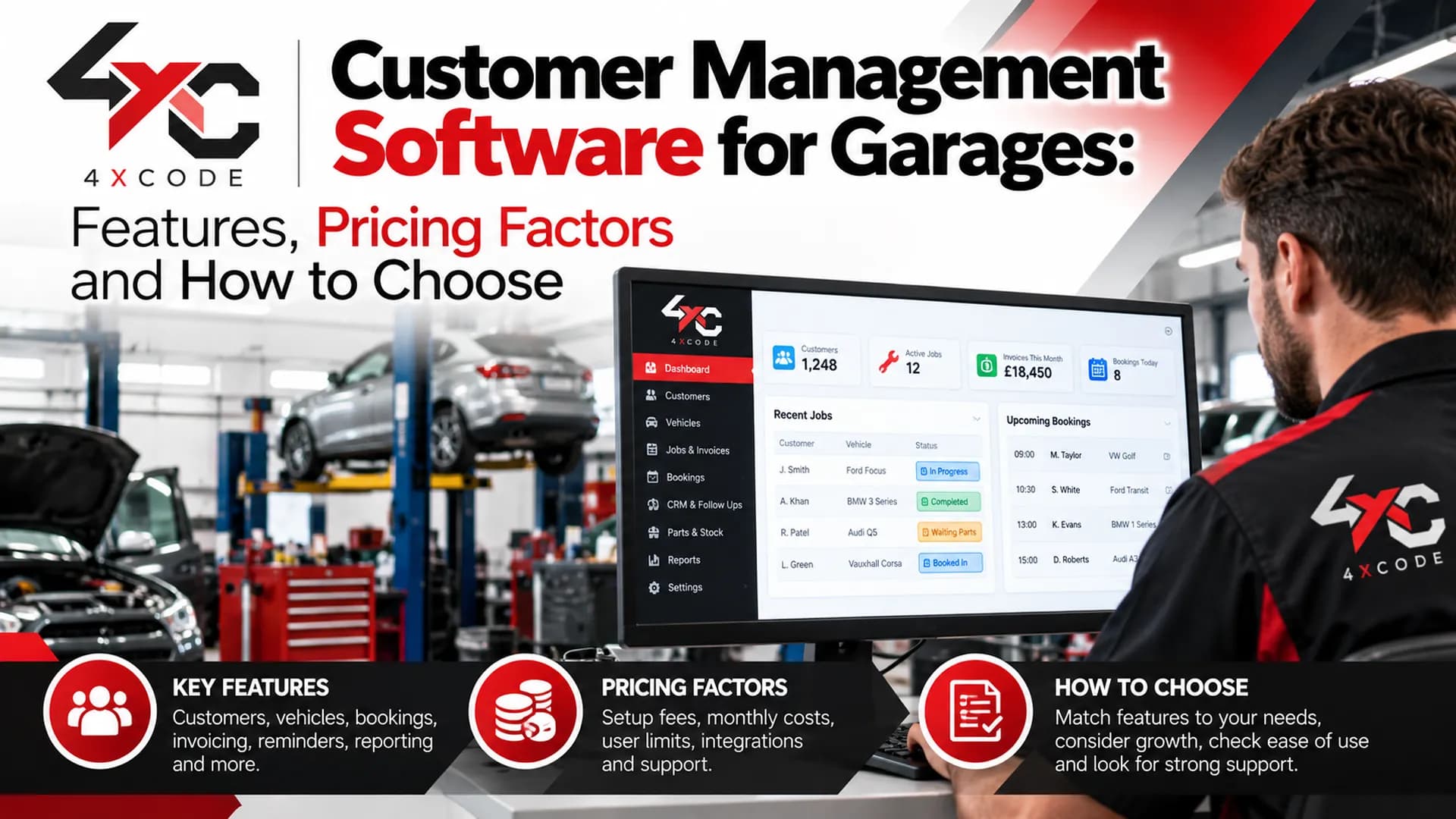
Customer details in a diary, a spreadsheet and three different phone contacts. An MOT date that slipped past without a reminder. Regulars who simply stopped coming back, and you never noticed until the workshop diary had gaps.
That is the problem customer management software for garages exists to solve. It stores customer and vehicle records in one place and links them to bookings, job cards, invoices and automatic MOT and service reminders. It differs from a generic CRM because it is built around vehicles, registrations and the way a workshop actually runs.
This guide explains what the software does, how it differs from a spreadsheet or a full garage management system, how reminders bring customers back, what shapes the price, and what to ask about data protection before you switch. We write it from the software side, so we will be plain about what to look for and what to test before you commit.
Written by the 4xcode team. Last reviewed October 2026. Features, integrations and pricing differ between providers, so always confirm details in writing and in a live demo. Want to see it working on your own customer list? Book a short demo.
What Is Customer Management Software for Garages, and How Is It Different From a Spreadsheet or Generic CRM?
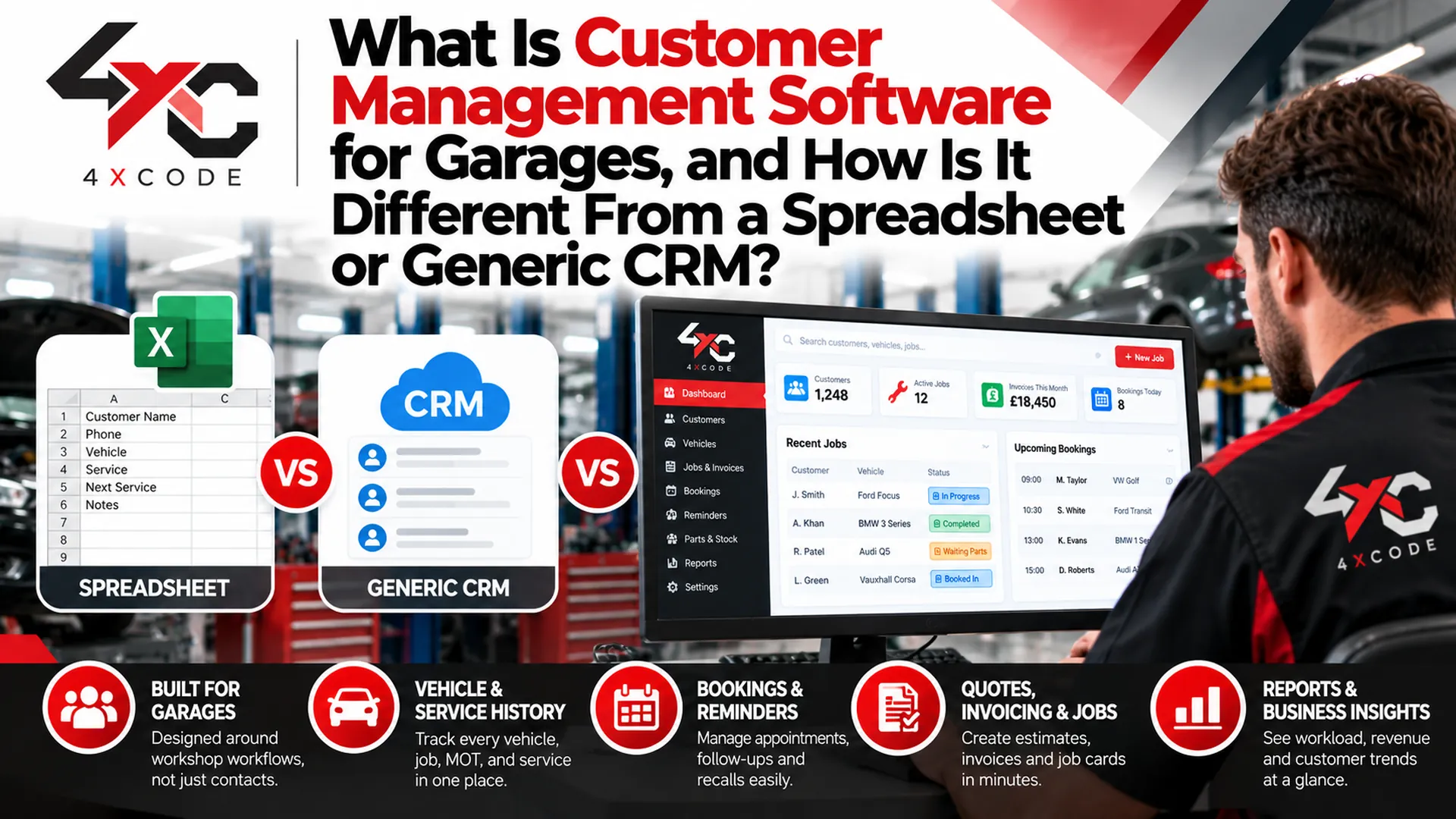
A spreadsheet can hold names and phone numbers. A generic CRM can track sales conversations. Neither understands that one customer may own three vehicles, that each vehicle has its own MOT date and service history, or that a repair estimate should turn into an invoice with one click.
Garage-specific software connects those pieces. That connection is where the time saving and the repeat business come from.
What Does Garage CRM Software Actually Do, and Do You Need It Separate From Full Garage Management Software?
Short answer: garage CRM software stores customer profiles and vehicle records, logs every interaction and sends reminders and follow-ups. Full garage management software does that and adds the workshop side, such as the booking diary, job cards, estimates and invoicing. Many garages want both in one system, but some start with the customer side and add the rest later.
The key idea is the relationship between three things:
- The customer: contact details, preferences, notes and communication history.
- The vehicle: registration, make and model, mileage, MOT expiry and service history. One customer can have several.
- The job: estimates, authorised work, parts used, labour and the invoice, all linked back to the vehicle and the customer.
Here is how the main options compare:
Option | Vehicle records | Automatic reminders | Job cards and invoicing | Effort to maintain | Best suited to |
| Paper diary or spreadsheet | Manual, easy to lose or duplicate | None, or manual | Separate | High | Very small or part-time operations |
| Generic CRM | Not built for vehicles | Possible, but needs setup | Usually none | Medium to high | Businesses with a sales-led process |
| Standalone garage CRM | Yes | Yes | Often limited or separate | Low to medium | Garages that already have workshop tools |
| Integrated garage management software | Yes | Yes | Yes | Low | Garages wanting one system for everything |
Treat this table as a guide to categories, not a ranking of products. What matters is whether a specific system does what your workshop needs.
A worked example, from first booking to next-service reminder. Imagine a customer who phones to book an MOT.
- You search by name or registration. If the vehicle is already on file, its history appears. If not, you add it and link it to the customer.
- The booking goes into the calendar, and a confirmation is sent by SMS or email.
- The vehicle arrives, and a job card records the work, parts and technician notes.
- If extra work is needed, you send an estimate, and the customer approves it.
- The job becomes an invoice linked to the same vehicle record.
- A vehicle-ready message goes out at collection time.
- The MOT expiry and service interval are stored, so a reminder triggers before the next one is due.
Every step feeds the same customer record. Nothing has to be re-typed, and nothing gets lost between the diary and the till.
See how a customer record, vehicle history and reminder fit together. Book a short demo.
Which Features Should Garage Customer Management Software Include for a Small Independent Garage?
Small garages do not need every feature. They need the right ones, working reliably. Use this checklist:
- Searchable customer database: by name, phone number or registration, so a customer is found in seconds.
- Multiple vehicles per customer: each with its own history and dates.
- Vehicle service history: previous repairs, parts used and invoices in one place.
- Communication log: a record of calls, messages and approvals, so anyone in the team can pick up a conversation.
- Booking calendar: with confirmations and reminders.
- Digital job cards: with technician notes and parts tracking.
- Estimates and invoices: linked to the job, not typed separately.
- Customer notes and preferences: such as preferred contact method.
Separate the must-haves from the nice-to-haves before you compare systems. A customer portal, review requests and multi-site reporting are valuable for some garages and unnecessary for others. A sole trader should not pay for features designed for a ten-bay chain.
We name features, integrations and data sources only where the software actually supports them. Always ask any provider for a confirmed list in writing, and check that each item works in a live demo.
How Can Garage Software Win Back Customers and Reduce Missed MOT and Service Appointments?
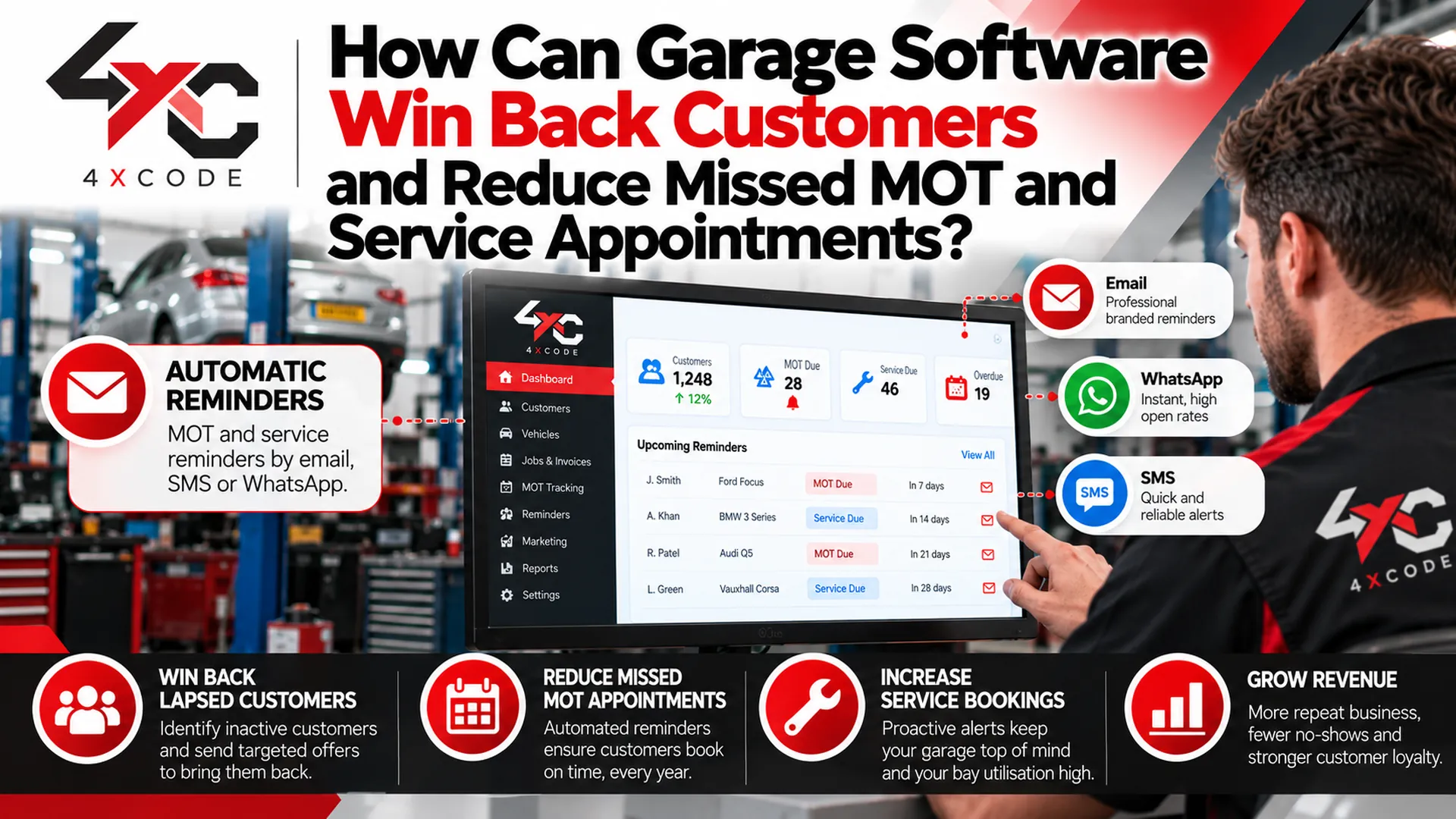
Winning a new customer costs time and money. Keeping an existing one is far cheaper. Yet many garages lose regulars not because of poor work, but because nobody reminded them it was time to come back.
Reminders and follow-ups turn customer records into repeat bookings.
How Do Automated MOT and Service Reminders Work, and Can They Bring Lapsed Customers Back?
Short answer: the software stores a date against each vehicle, such as an MOT expiry or a service due date. When that date approaches, it sends an SMS or email prompting the customer to book. If they do not respond, a follow-up can go out. Reminders do not guarantee a booking, but they put your garage in front of the customer at the right moment.
The chain usually looks like this:
- Date stored: the vehicle's MOT expiry or service interval is recorded.
- Reminder sent: an SMS or email goes out ahead of the due date.
- Booking made: the customer replies, books online or calls.
- Confirmation sent: with the date, time and any preparation notes.
- Vehicle-ready message: when the work is finished.
- Next reminder scheduled: the cycle starts again.
A good retention workflow includes more than the first reminder:
- Service-due reminders based on date or mileage.
- Overdue follow-ups for customers who ignored the first message.
- Lapsed-customer campaigns for people who have not visited for a long time.
- Review requests after a completed job, while the experience is fresh.
- Post-job check-ins that show you care and surface small problems early.
Consider a regular who forgot their MOT. Without a reminder, they might drive past the expiry date, panic, and book the nearest garage with a free slot, which may not be yours. With a timely message, they book with you weeks ahead, and the garage fills a quiet day in the diary.
How do you measure whether it is working? Keep it simple, and use your own numbers:
- Repeat-customer rate: the share of customers who came back within a set period.
- Lapsed customers: the number who have not visited in, say, twelve months.
- Reminder-to-booking rate: how many reminders led to a booking.
We do not quote percentages here, because results depend on your customers, your area and the quality of your records. Track your own figures before and after, and judge the software on them.
Check what is included before you rely on any of this. SMS charges, reminder limits, and any vehicle data lookups, such as DVLA or DVSA information, vary between providers. Ask which are supported and what they cost.
Find out how many of your past customers are overdue. Start a free trial or book a demo, subject to current offer terms.
How Much Does Customer Management Software for Garages Cost, and How Do You Choose the Right One?
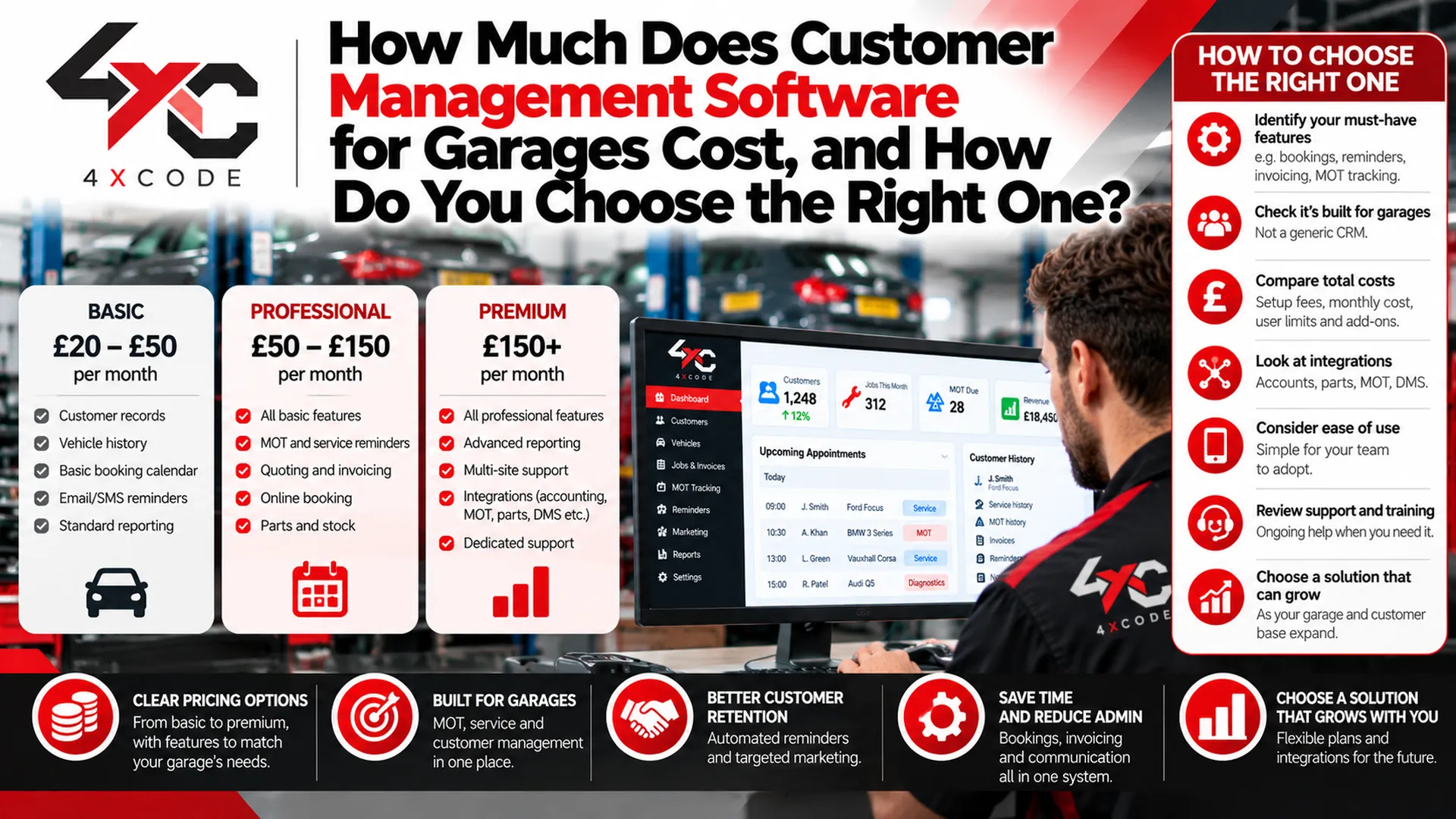
Prices differ widely, and a low headline figure can hide extras. We will not quote a number that may not apply to you. Instead, here is what shapes the cost, so you can compare like with like.
What Affects Garage CRM Pricing, and What Should You Check Before You Switch Systems?
These are the factors that change the price:
- Pricing model: per-user pricing versus a flat rate for the whole garage. A busy workshop with several staff can find the two very different.
- Customer record limits: some plans cap the number of customers or vehicles stored.
- SMS and email charges: reminders may be included, limited or billed per message.
- Setup and onboarding: one-off fees, or help included.
- Data migration: whether importing your old records is free, charged or not offered.
- Contract length: monthly rolling, or a minimum term.
Use this checklist when you compare providers:
- Is the full price clear, including messages, extra users and support?
- Can you import data from a spreadsheet, CSV file or your old system?
- How are duplicate records handled during import?
- What onboarding and training do you get?
- Does it work on a phone or tablet, so the team can use it on the workshop floor?
- When is support available, and how do you reach it?
- Which integrations are genuinely supported, such as accounting software?
- Is there a free trial or demo so you can test before paying?
Test it live. During a demo or trial, do the things you will do every day:
- Search for a customer by registration number.
- Add a second vehicle to an existing customer.
- Send yourself a test reminder.
- Raise an estimate and convert it to an invoice.
- Run a report of customers who have not visited in a year.
If any of those feels clumsy in the demo, it will feel worse on a busy Monday.
A simple way to estimate return on investment. Use your own figures, not ours:
- Estimate how many extra bookings per month the reminders could recover.
- Multiply by your average job value.
- Subtract the monthly subscription and any message costs.
- Add the admin time saved, valued at your own hourly cost.
If the result is clearly positive on conservative numbers, the software pays for itself. If it only works on optimistic ones, think again. We have not invented figures, because your garage is not an average garage.
Ask for a written price and a migration plan before you commit.
Is Customer Data Safe in Cloud Garage Software, and What Does UK GDPR Mean for Your Workshop?
Customer records contain names, phone numbers, addresses and vehicle details. That is personal data, and handling it carefully protects your customers and your business.
How Should a Garage Store Customer Records Securely, and What Should You Ask a Software Provider About Data Protection?
This is general guidance, not legal advice. For the official requirements, refer to the Information Commissioner's Office (ICO), and take professional advice if you are unsure.
In practical terms, good record handling comes down to a few habits:
- Staff access permissions: not everyone needs to see everything. Limit access to what each role requires.
- Backups: records should be backed up regularly, so one failure does not wipe out your customer base.
- Data export: you should be able to take your records with you if you leave a provider.
- Retention: keep records for as long as you have a reason to, and no longer.
- Marketing consent: record whether a customer agreed to receive marketing messages, and honour opt-outs.
Ask any provider these questions:
- Where is the data hosted?
- Who at the provider can access it?
- How do backups work, and how quickly can data be restored?
- How can records be exported or deleted on request?
- How is marketing consent recorded and managed?
- What happens to my data if I cancel?
Moving your existing records safely. Migration is where many switches go wrong. Work through this sequence:
- Clean the source data. Remove obvious duplicates and fix missing phone numbers.
- Map the fields. Match columns such as name, phone, email and registration to the new system's fields.
- Import a small test batch first. Check that customers and vehicles link correctly.
- Validate. Spot-check records against the originals, including vehicle details and dates.
- Run in parallel briefly, if you can, before switching fully.
A little preparation here saves weeks of confusion later.
At 4xcode, we build software for UK garages, and we are happy to talk through how your records would move across and how reminders would work for your customers. We give hosting, security and onboarding details in writing, so you can check them before you decide. Take a look at our garage CRM software, our garage customer database software and our garage MOT reminder software, and see our guides on garage CRM pricing in the UK, how to migrate garage customer data and UK GDPR for garage software.
Ready to see it in action? Book a free demo or start your trial. Call us, use our contact form or message us on WhatsApp, and tell us a little about your garage, such as the number of staff and where your records are now.
Frequently Asked Questions About Garage Customer Management Software
What is customer management software for garages?
It is software that stores customer and vehicle records in one place, links them to bookings, job cards and invoices, and sends reminders and follow-ups. It is built around registrations and workshop workflow, not general sales tracking.
What is the difference between garage CRM and garage management software?
Garage CRM focuses on customer records, communication and retention. Garage management software covers that plus the workshop side, such as the booking diary, job cards, estimates and invoicing. Many systems combine the two.
Can garage software send automatic MOT and service reminders?
Yes, in general. The software stores an MOT expiry or service due date against each vehicle and sends an SMS or email beforehand. Check which channels, message limits and charges a specific provider includes.
Can it store several vehicles and full service history for one customer?
It should. A proper garage system links multiple vehicles to one customer, with each vehicle keeping its own history of repairs, parts and invoices. Test this in a demo before you buy.
How do I move my existing customer records into new garage software?
Clean your data first, map the fields, import a small test batch, then validate the results before importing everything. Ask whether the provider offers migration help and whether it is free or charged.
How can garages manage customer data under UK GDPR?
Limit staff access, keep backups, record marketing consent, retain data only as long as needed and be able to export or delete records on request. This is general guidance, so check the ICO's website for official requirements.
Final Thoughts
Customer management software earns its place when it does three things well: keeps every customer and vehicle record in one searchable place, reminds customers when they are due, and protects the data you hold. Check the pricing model, test the features you will use daily, and plan the data migration before you switch.
If your customer details are scattered, your MOT reminders are patchy or your diary has gaps that a reminder could fill, talk to the 4xcode team. Tell us about your garage, and we will show you how it would work with your own customers.